> ## Documentation Index
> Fetch the complete documentation index at: https://docs.cuckoo.so/llms.txt
> Use this file to discover all available pages before exploring further.

# 미팅 단위 설정

> 미팅별 문서나 키워드를 추가해 번역 개선하기

미팅마다 PDF를 업로드하고 해당 미팅에 특화된 키워드를 추가할 수 있습니다. Cuckoo는 PDF에서 관련 맥락과 용어를 추출해 번역 정확도를 높이는 데 활용합니다.

## 키워드

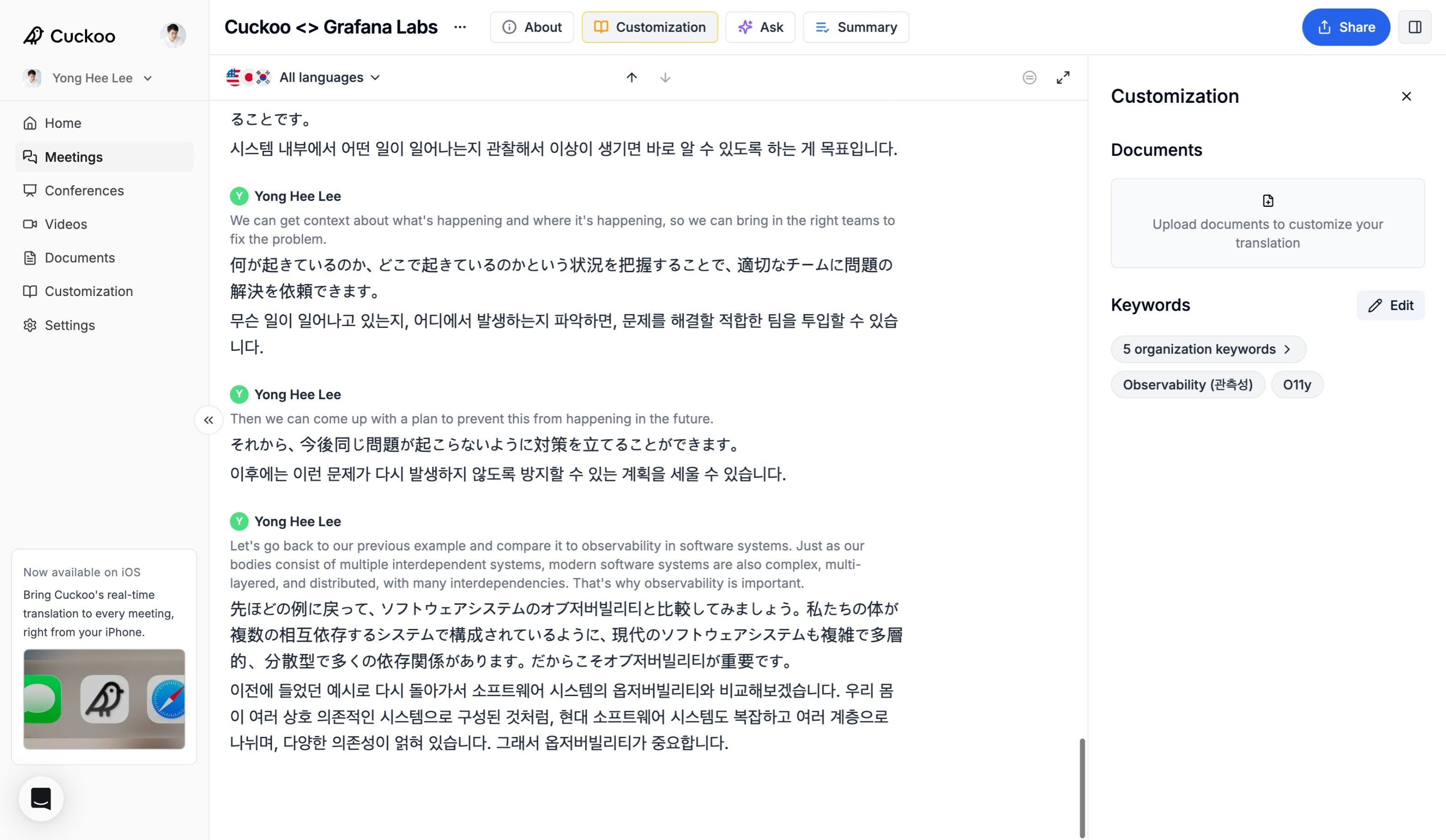
페이지 상단의 **맞춤 설정**(Customization)을 선택해 **맞춤 설정**(Customization) 패널을 여세요. **키워드**(Keywords) 아래의 **편집**(Edit)을 클릭하면 미팅 전이나 미팅 중에 키워드를 추가, 삭제, 업데이트할 수 있습니다.
<img alt="키워드" src="https://mintcdn.com/cuckoolabs/XogcJosuFrXCyB-c/images/customization_meeting-1.jpeg?fit=max&auto=format&n=XogcJosuFrXCyB-c&q=85&s=c0abfd0a546df990e9c5cb7dea941018" style={{ borderRadius: "14px", border: "2px solid #171717"}} width="3164" height="1839" data-path="images/customization_meeting-1.jpeg" />

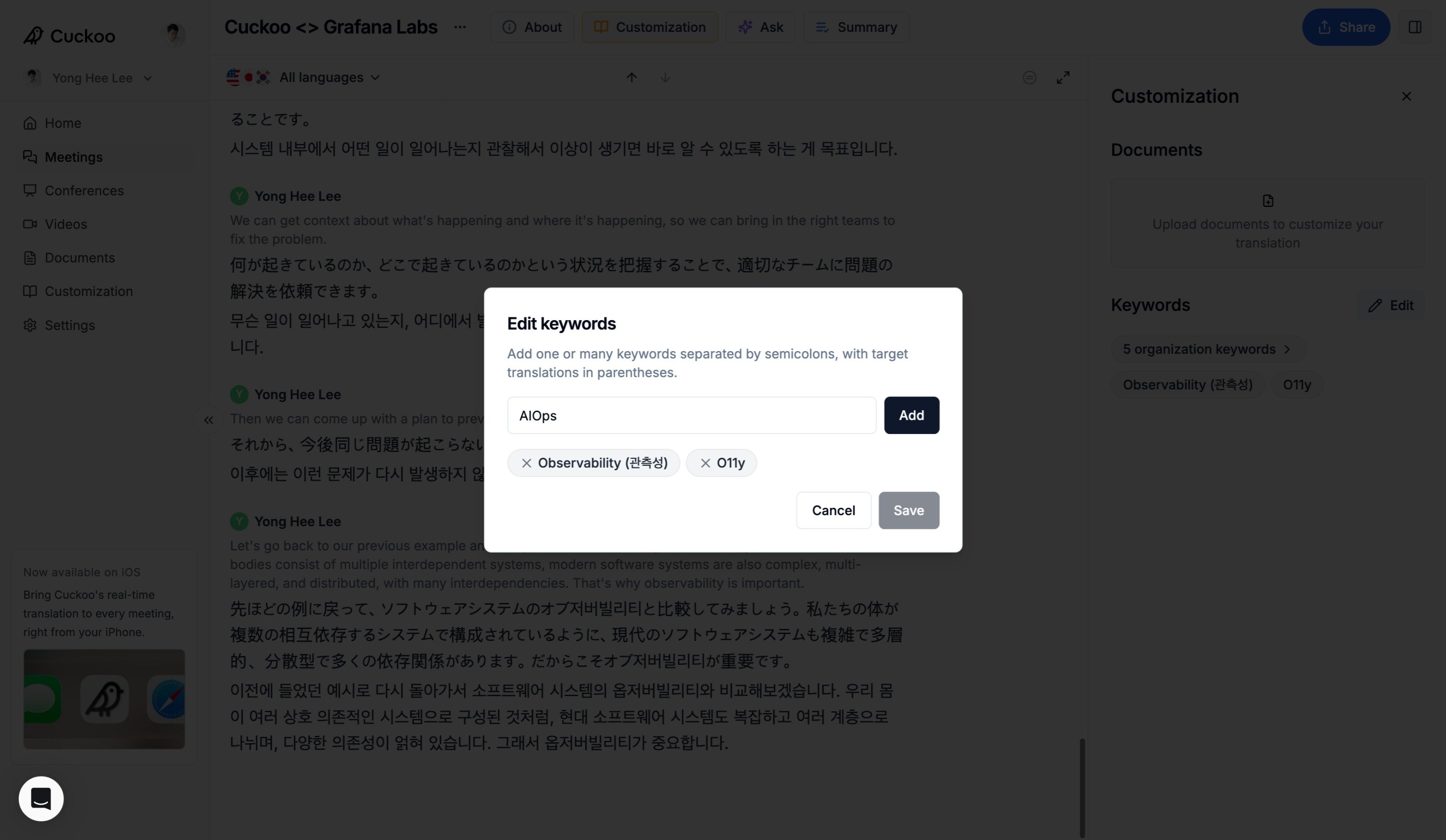
키워드를 추가하거나 업데이트한 뒤 **저장**(Save)을 클릭해 변경 사항을 적용하세요.
<img alt="키워드" src="https://mintcdn.com/cuckoolabs/XogcJosuFrXCyB-c/images/customization_meeting-2.jpeg?fit=max&auto=format&n=XogcJosuFrXCyB-c&q=85&s=16af18a278eaec4a715e8e19e1099c17" style={{ borderRadius: "14px", border: "2px solid #171717"}} width="3164" height="1839" data-path="images/customization_meeting-2.jpeg" />

## 문서

문서는 미팅에 추가 맥락을 제공해 번역 정확도를 높입니다.

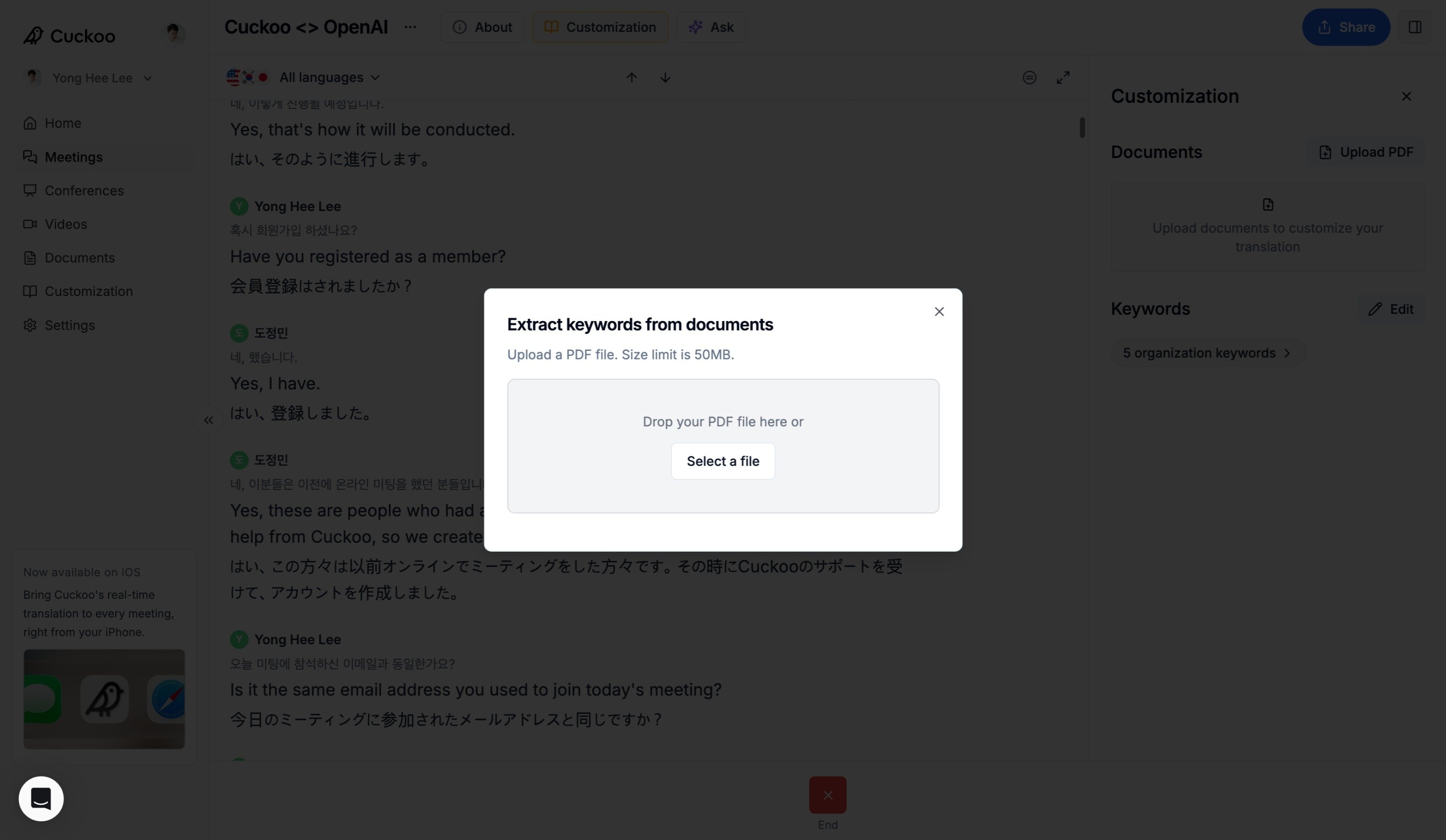
먼저 **문서**(Documents) 아래의 **PDF 업로드**(Upload PDF)를 클릭하고 문서를 선택하세요.
<img alt="키워드" src="https://mintcdn.com/cuckoolabs/XogcJosuFrXCyB-c/images/customization_documents-1.jpeg?fit=max&auto=format&n=XogcJosuFrXCyB-c&q=85&s=ad6332e2ef49838d02d280c76a32fc71" style={{ borderRadius: "14px", border: "2px solid #171717"}} width="3164" height="1839" data-path="images/customization_documents-1.jpeg" />

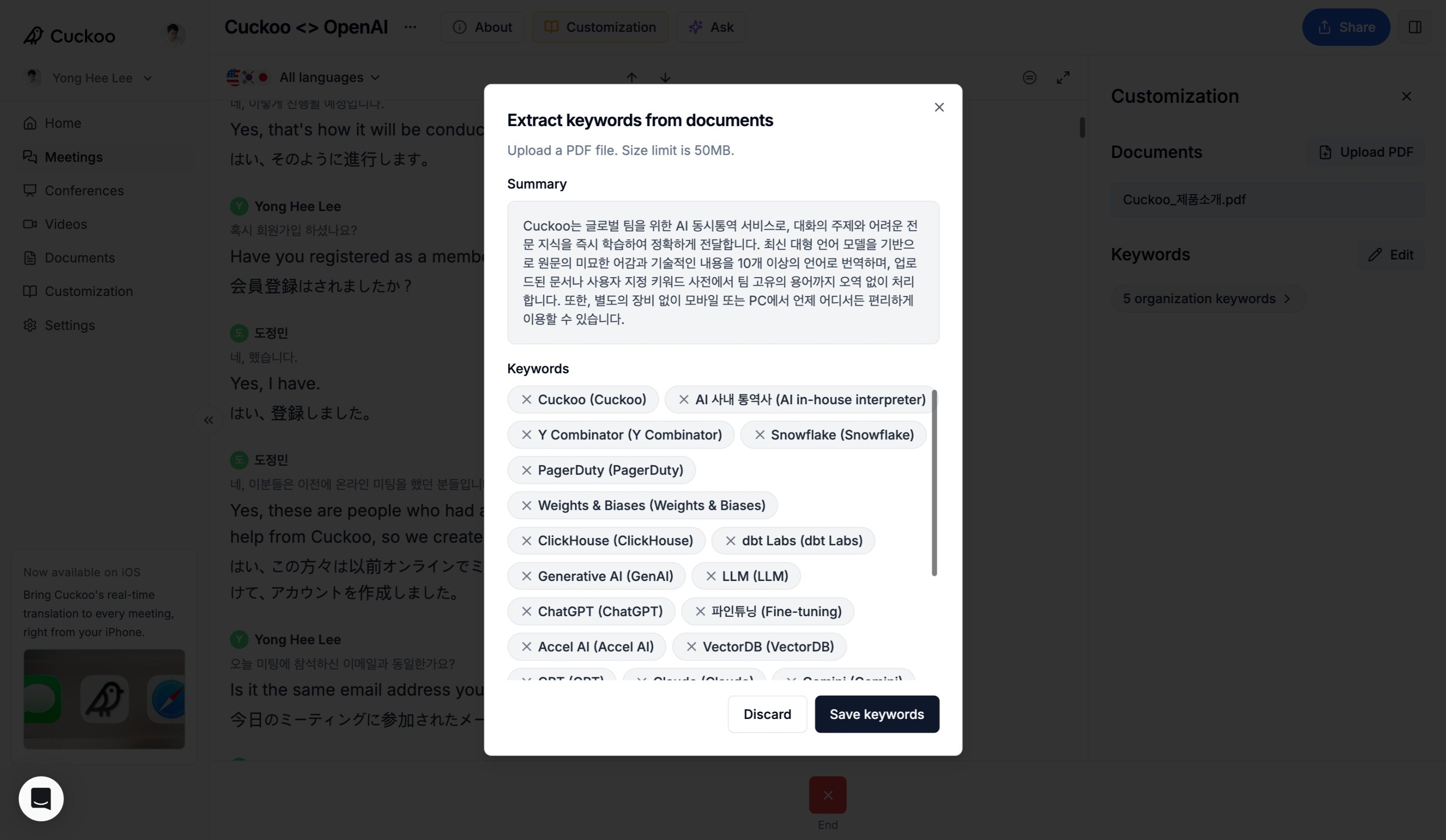
Cuckoo가 요약과 키워드를 포함한 맥락을 문서에서 추출합니다. **키워드 저장**(Save keywords)을 클릭해 확정하세요.
<img alt="키워드" src="https://mintcdn.com/cuckoolabs/XogcJosuFrXCyB-c/images/customization_documents-2.jpeg?fit=max&auto=format&n=XogcJosuFrXCyB-c&q=85&s=b40945ef7f516de344e45356d68c8416" style={{ borderRadius: "14px", border: "2px solid #171717"}} width="3164" height="1839" data-path="images/customization_documents-2.jpeg" />
