> ## Documentation Index
> Fetch the complete documentation index at: https://docs.cuckoo.so/llms.txt
> Use this file to discover all available pages before exploring further.
# 요약
> 미팅 후 다국어 요약 받기
미팅이 끝나면 Cuckoo가 선택한 모든 언어로 미팅 요약을 제공합니다.
페이지 상단의 **요약**(Summary)을 클릭하면 요약 패널이 열립니다.
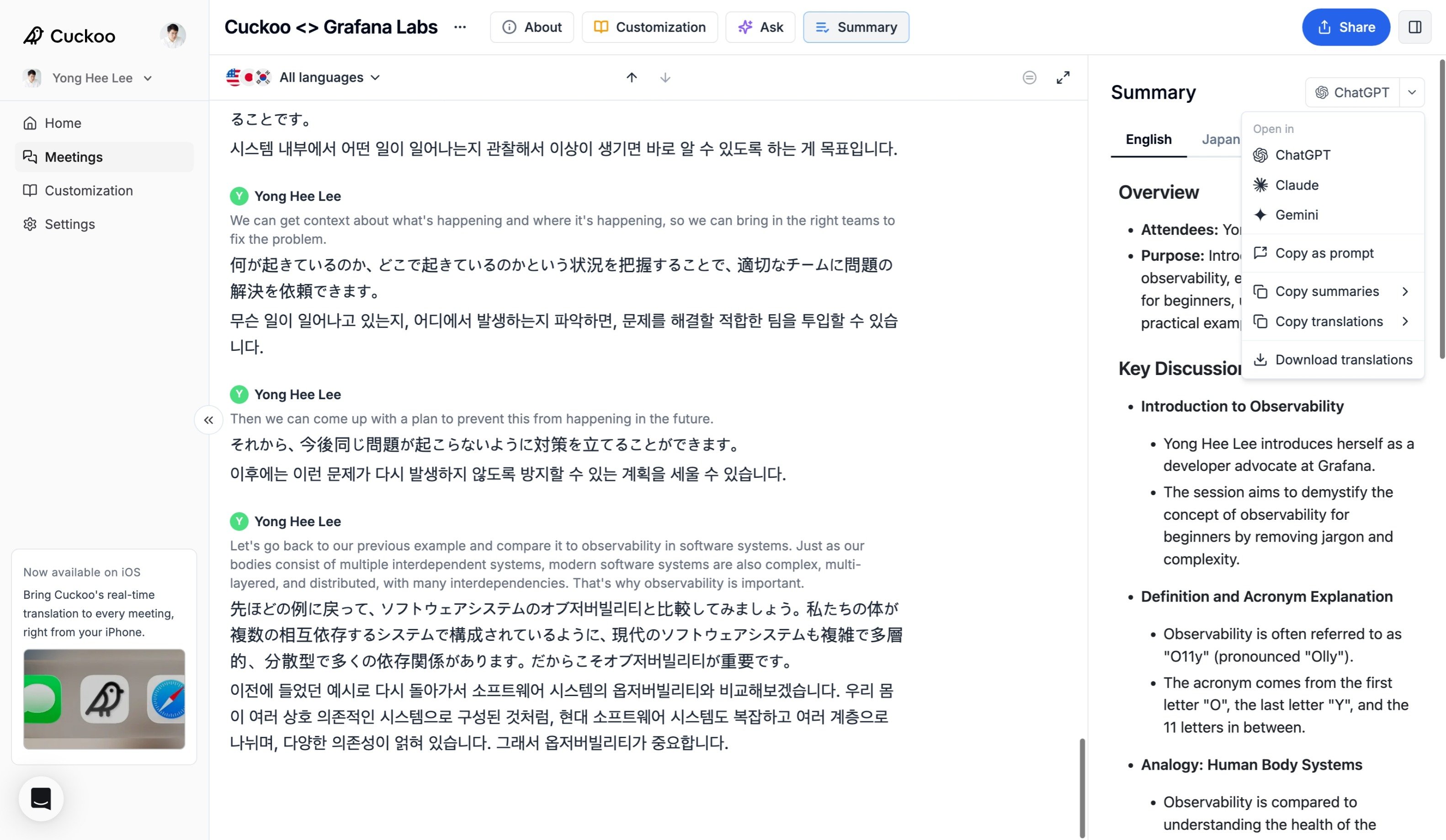 요약 패널에서는 다음을 할 수 있습니다.
* ChatGPT, Claude 또는 Gemini에서 **열기**(Open in)로 전체 스크립트, 번역, 요약을 그대로 이어서 작업할 수 있습니다.
* 스크립트, 번역, 요약을 여러 형식으로 **다운로드**(Download)할 수 있습니다.
* 사용 가능한 언어로 요약을 **복사**(Copy)할 수 있습니다.
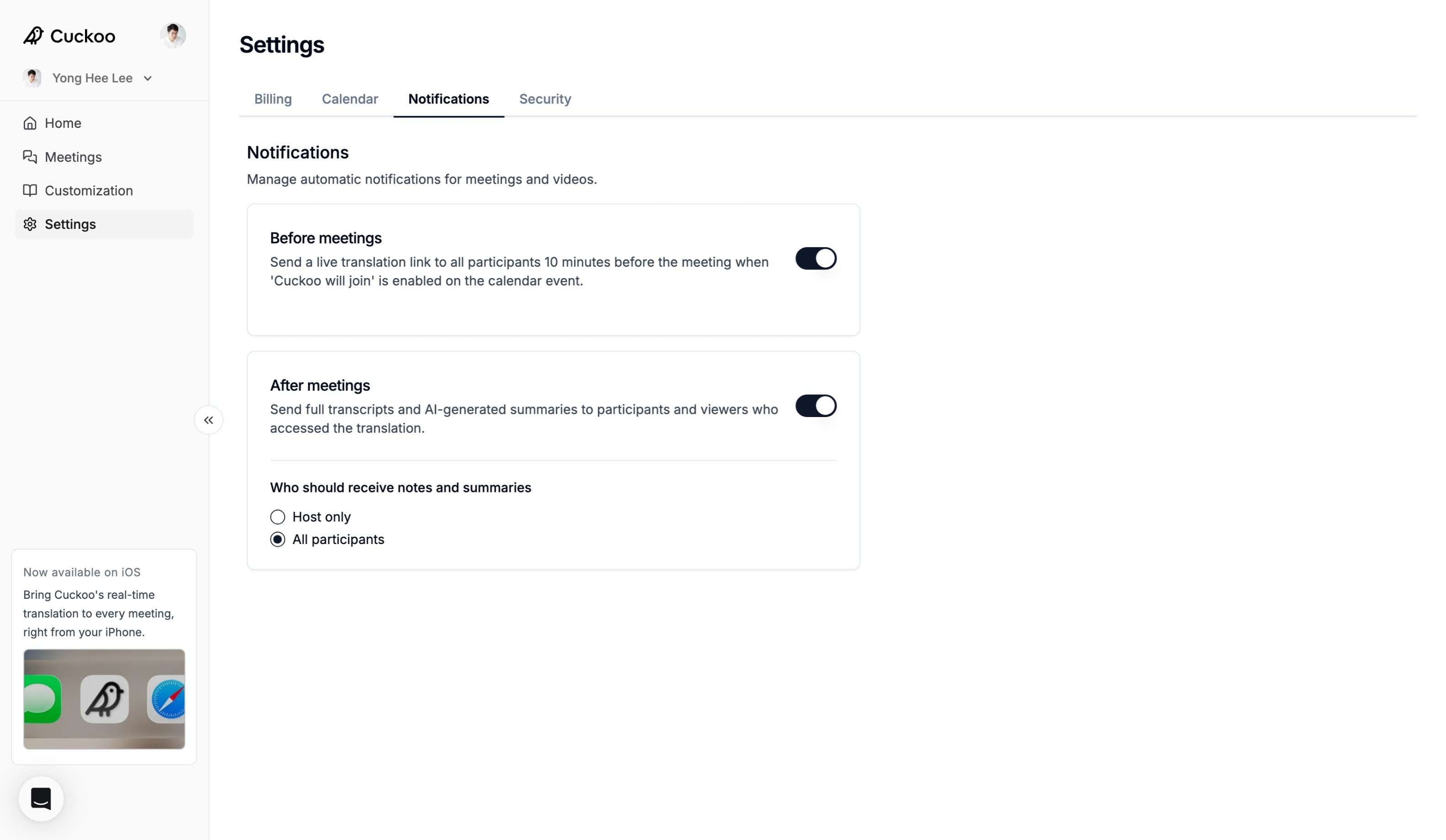
**설정 -> 알림**(Settings -> Notifications)에서 이메일 알림을 켜면 미팅 참가자에게 요약을 자동으로 보낼 수도 있습니다.
요약 패널에서는 다음을 할 수 있습니다.
* ChatGPT, Claude 또는 Gemini에서 **열기**(Open in)로 전체 스크립트, 번역, 요약을 그대로 이어서 작업할 수 있습니다.
* 스크립트, 번역, 요약을 여러 형식으로 **다운로드**(Download)할 수 있습니다.
* 사용 가능한 언어로 요약을 **복사**(Copy)할 수 있습니다.
**설정 -> 알림**(Settings -> Notifications)에서 이메일 알림을 켜면 미팅 참가자에게 요약을 자동으로 보낼 수도 있습니다.