> ## Documentation Index
> Fetch the complete documentation index at: https://docs.cuckoo.so/llms.txt
> Use this file to discover all available pages before exploring further.

# iOS アプリを使う

> ポケットの中のリアルタイム翻訳

Google 翻訳や Papago のような一般向け翻訳アプリは、ちょっとした会話には便利です。

Cuckoo は、その「ワンボタン」の手軽さを、より専門的で長時間にわたる、ビジネスで重要なミーティングにも、外出先で使えるかたちで提供します。出張時や、オンラインミーティングの補助アプリとして特に役立ちます。

## Cuckoo をインストールする

<Columns cols={2}>
  <Column>
    <Card title="App Store" icon="apple" href="https://apps.apple.com/app/id6767557502">
      全世界で利用可能
    </Card>
  </Column>

  <Column>
    <Card title="Android" icon="android">
      今秋提供予定
    </Card>
  </Column>
</Columns>

## 翻訳を開始する

<Columns cols={3}>
  <Column>
    <img alt="iOS アプリ" src="https://mintcdn.com/cuckoolabs/MBI1ATW4xKYs3D1p/images/mobile_ios-1.png?fit=max&auto=format&n=MBI1ATW4xKYs3D1p&q=85&s=316a3baceb70a650abe03668bccd253b" style={{ borderRadius: "18px", border: "2px solid #171717"}} width="1206" height="2622" data-path="images/mobile_ios-1.png" />
  </Column>

  <Column>
    <img alt="iOS アプリ" src="https://mintcdn.com/cuckoolabs/MBI1ATW4xKYs3D1p/images/mobile_ios-2.png?fit=max&auto=format&n=MBI1ATW4xKYs3D1p&q=85&s=1260a04db60ecc217cd281944383bd78" style={{ borderRadius: "18px", border: "2px solid #171717"}} width="1206" height="2622" data-path="images/mobile_ios-2.png" />
  </Column>

  <Column>
    <img alt="iOS アプリ" src="https://mintcdn.com/cuckoolabs/MBI1ATW4xKYs3D1p/images/mobile_ios-3.png?fit=max&auto=format&n=MBI1ATW4xKYs3D1p&q=85&s=bfc5be5a9008ff0ee0d41f186a7500e8" style={{ borderRadius: "18px", border: "2px solid #171717"}} width="1206" height="2622" data-path="images/mobile_ios-3.png" />
  </Column>
</Columns>

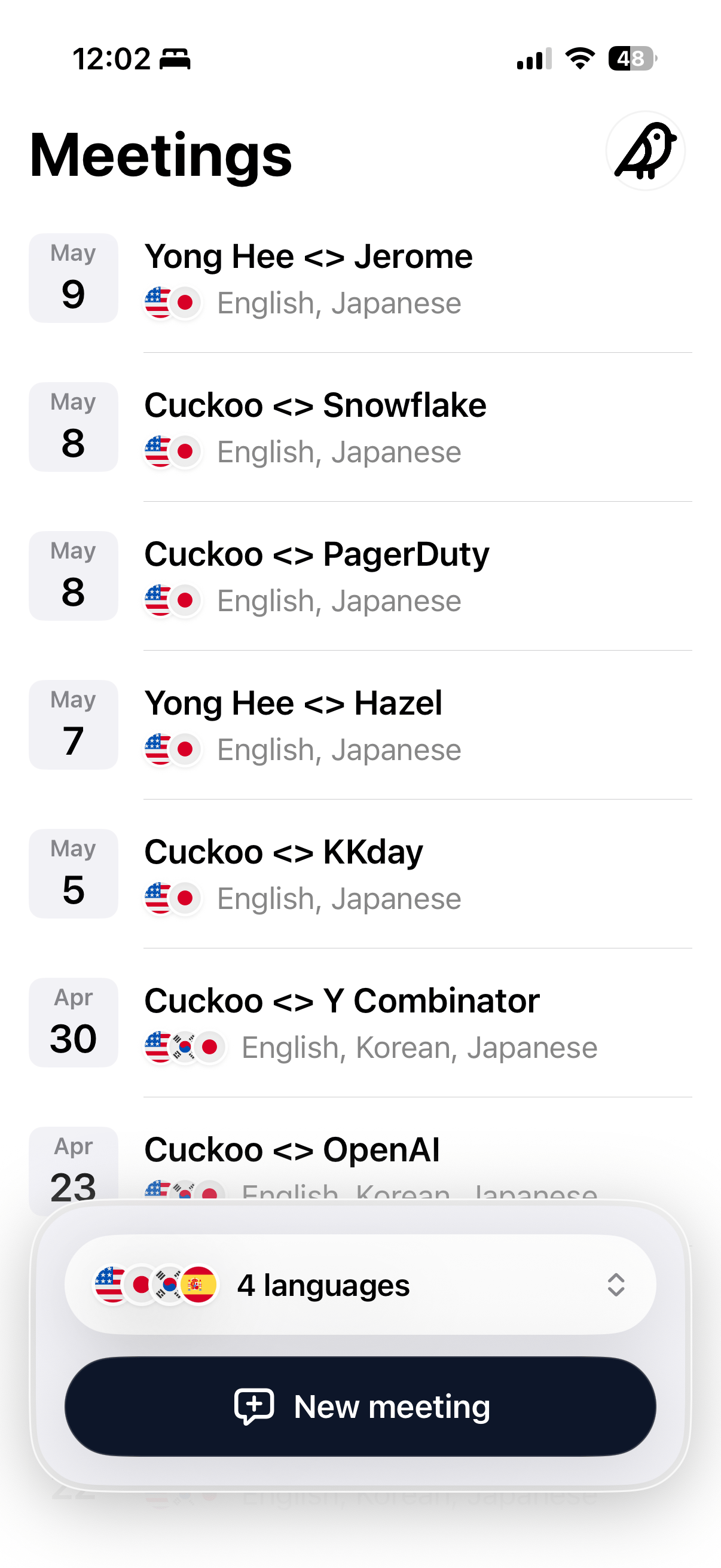
1. 言語を選択し、**新しいミーティング**（New Meeting）をタップします。
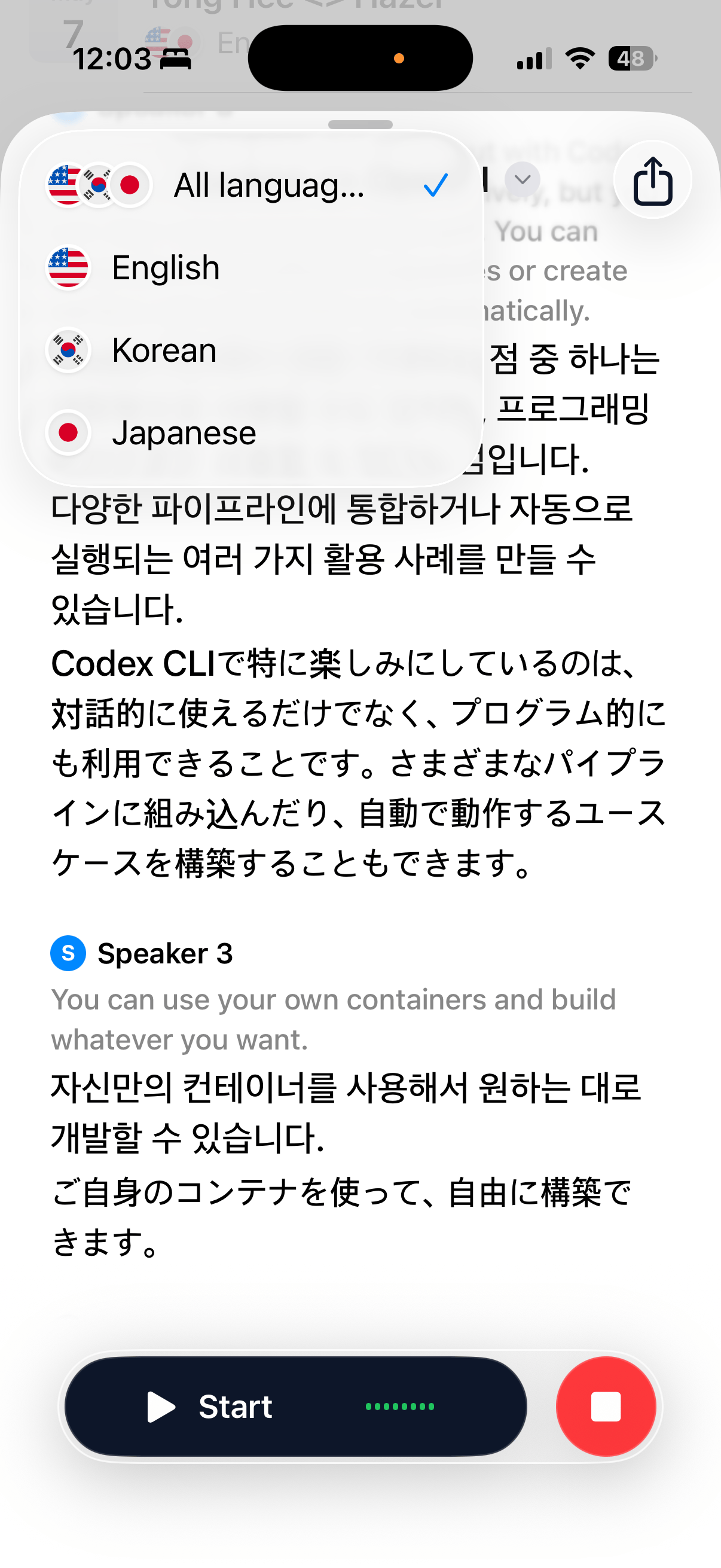
2. **開始**（Start）をタップして翻訳を始めます。
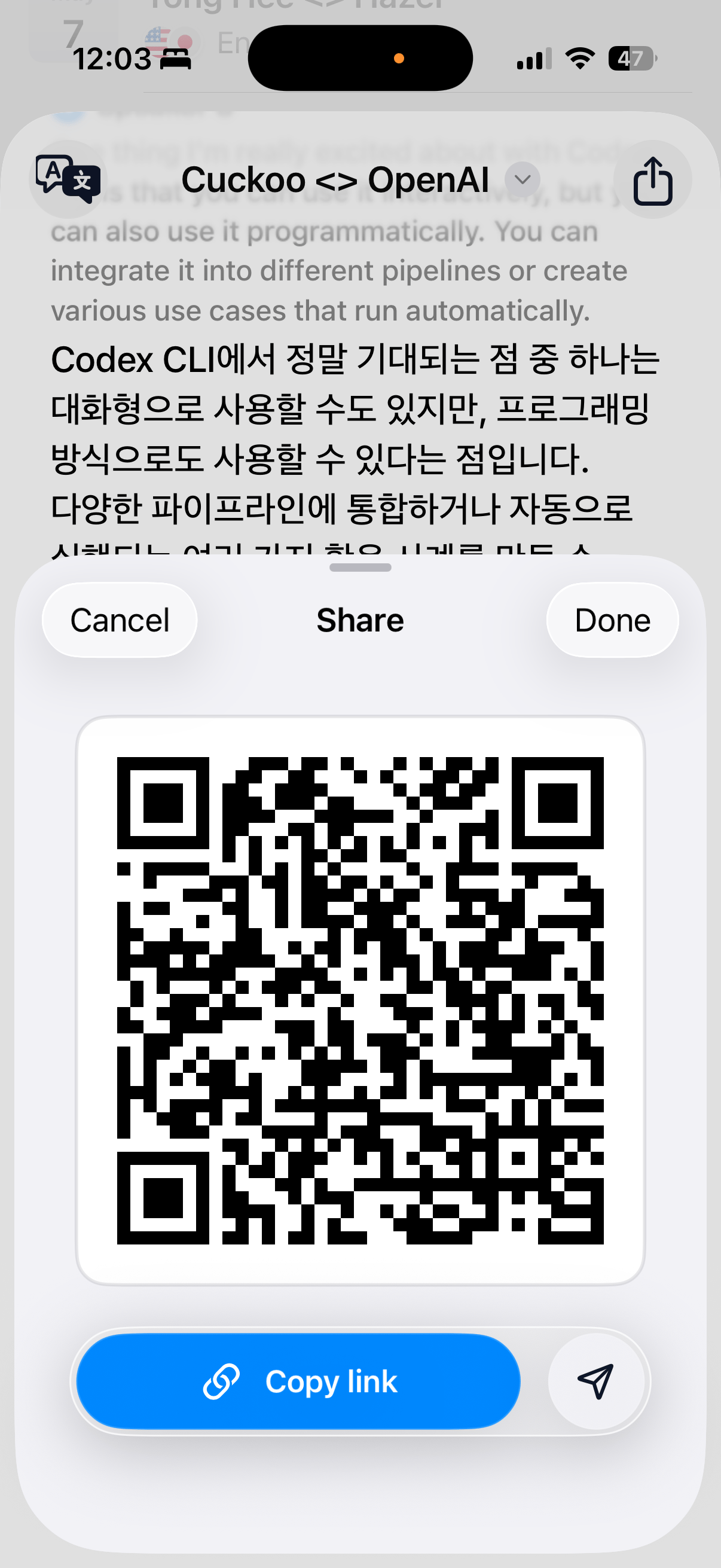
3. **共有**（Share）をタップして、翻訳ページのリンクまたは QR コードを送信します。参加者はどのモバイルブラウザからでもライブ翻訳を確認できます。