> ## Documentation Index
> Fetch the complete documentation index at: https://docs.cuckoo.so/llms.txt
> Use this file to discover all available pages before exploring further.
# 要約
> ミーティング後の多言語要約を受け取る
ミーティングが終了すると、Cuckoo が選択したすべての言語でミーティングの要約を提供します。
ページ上部の **要約**(Summary)をクリックすると、要約パネルが開きます。
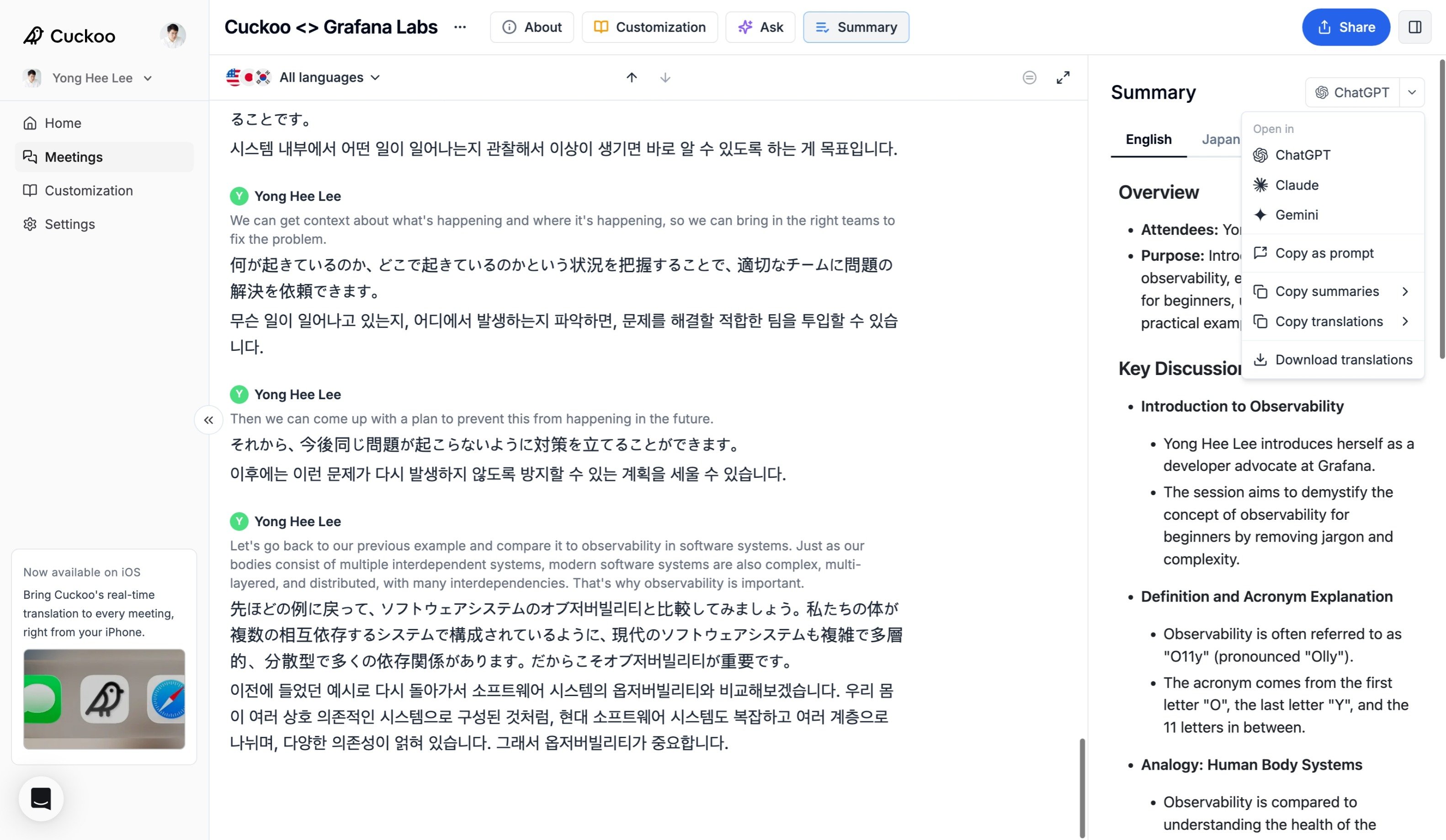 要約パネルでは、次のことができます。
* ChatGPT、Claude、Gemini で **開く**(Open in)と、完全な文字起こし・翻訳・要約をそのまま使って作業を続けられます。
* 文字起こし・翻訳・要約を複数の形式で **ダウンロード**(Download)できます。
* 利用可能な任意の言語で要約を **コピー**(Copy)できます。
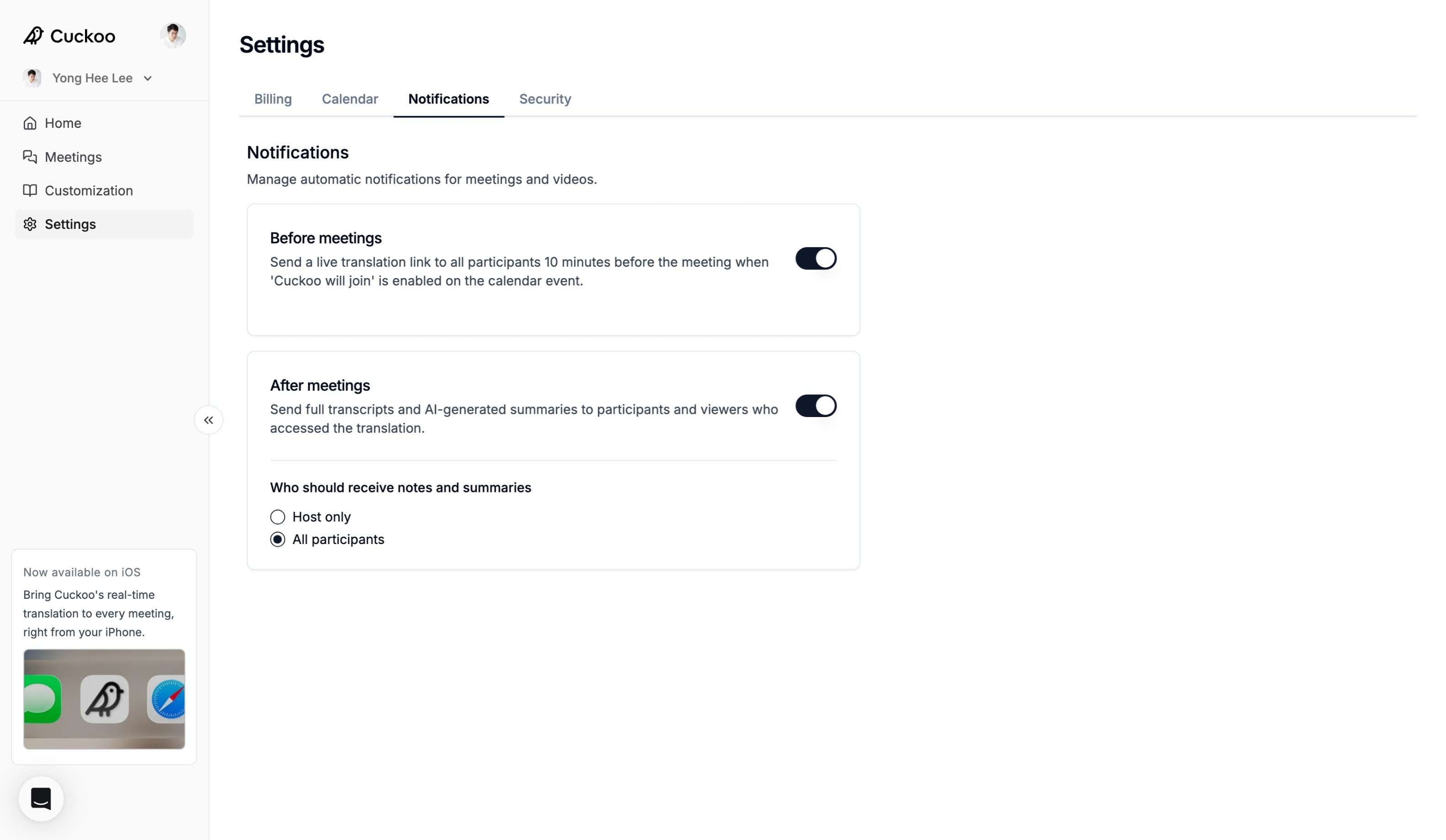
また、**設定 -> 通知**(Settings -> Notifications)でメール通知を有効にすると、ミーティングの参加者に要約を自動で送信できます。
要約パネルでは、次のことができます。
* ChatGPT、Claude、Gemini で **開く**(Open in)と、完全な文字起こし・翻訳・要約をそのまま使って作業を続けられます。
* 文字起こし・翻訳・要約を複数の形式で **ダウンロード**(Download)できます。
* 利用可能な任意の言語で要約を **コピー**(Copy)できます。
また、**設定 -> 通知**(Settings -> Notifications)でメール通知を有効にすると、ミーティングの参加者に要約を自動で送信できます。