> ## Documentation Index
> Fetch the complete documentation index at: https://docs.cuckoo.so/llms.txt
> Use this file to discover all available pages before exploring further.
# Organization-specific
> Improve translations with keywords, presets, and replacement rules
While Cuckoo works great out of the box, you can further improve translation accuracy with organization-wide keywords and customization rules under Customization. It also helps keep terminology consistent across languages, meetings, and teams.
Customizations are automatically applied to all meetings within the organization.
## Keywords
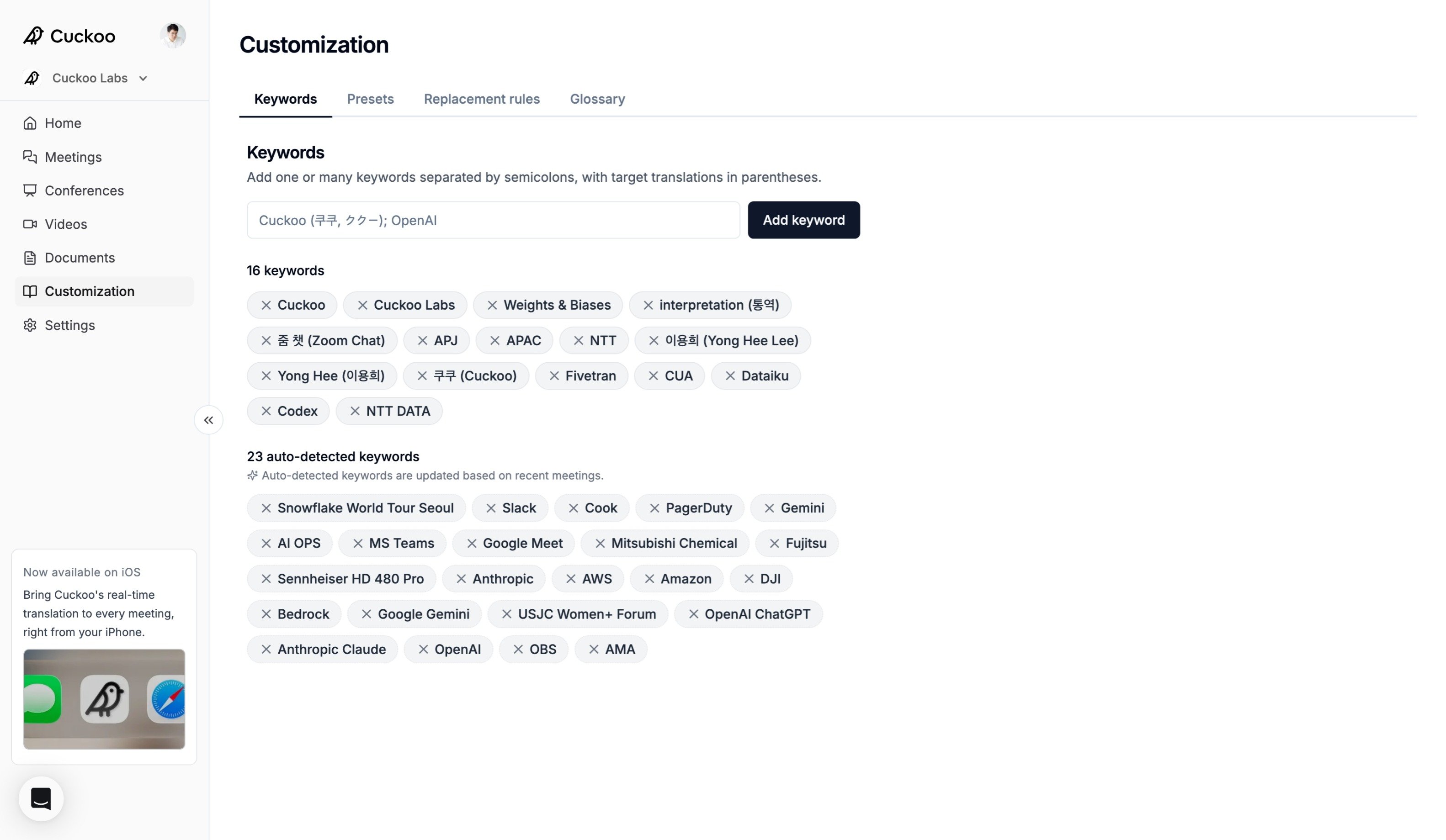 Keywords help Cuckoo recognize and translate important terms more accurately. Add product names, company names, and technical terminology to help Cuckoo capture and translate them correctly during meetings.
* `Cuckoo` – Product names are a great example. Adding "Cuckoo" helps the AI recognize and translate the correct term instead of similar-sounding alternatives such as "Kuku".
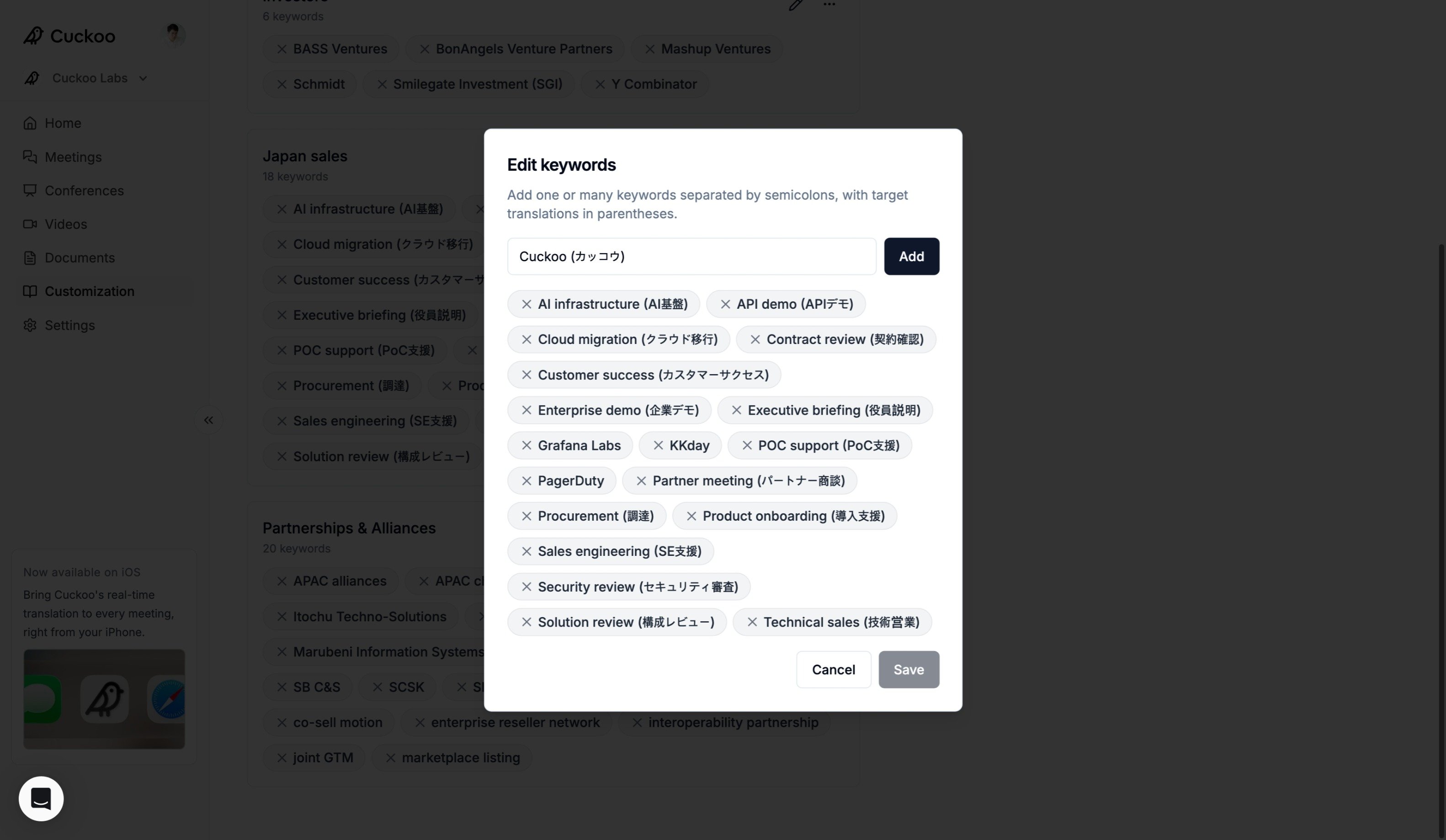
* `Cuckoo (カッコウ)` – Add the original term and its target translation to guide Cuckoo in both languages, mapping "Cuckoo" to "カッコウ" when translating into Japanese.
* `OpenAI; ChatGPT; Codex (코덱스)` – Add multiple keywords separated by semicolons.
In addition to manually added keywords, Cuckoo automatically detects meaningful keywords after each meeting. **Auto-detected keywords** are continuously updated based on recent meetings and their context.
## Presets
Keywords help Cuckoo recognize and translate important terms more accurately. Add product names, company names, and technical terminology to help Cuckoo capture and translate them correctly during meetings.
* `Cuckoo` – Product names are a great example. Adding "Cuckoo" helps the AI recognize and translate the correct term instead of similar-sounding alternatives such as "Kuku".
* `Cuckoo (カッコウ)` – Add the original term and its target translation to guide Cuckoo in both languages, mapping "Cuckoo" to "カッコウ" when translating into Japanese.
* `OpenAI; ChatGPT; Codex (코덱스)` – Add multiple keywords separated by semicolons.
In addition to manually added keywords, Cuckoo automatically detects meaningful keywords after each meeting. **Auto-detected keywords** are continuously updated based on recent meetings and their context.
## Presets
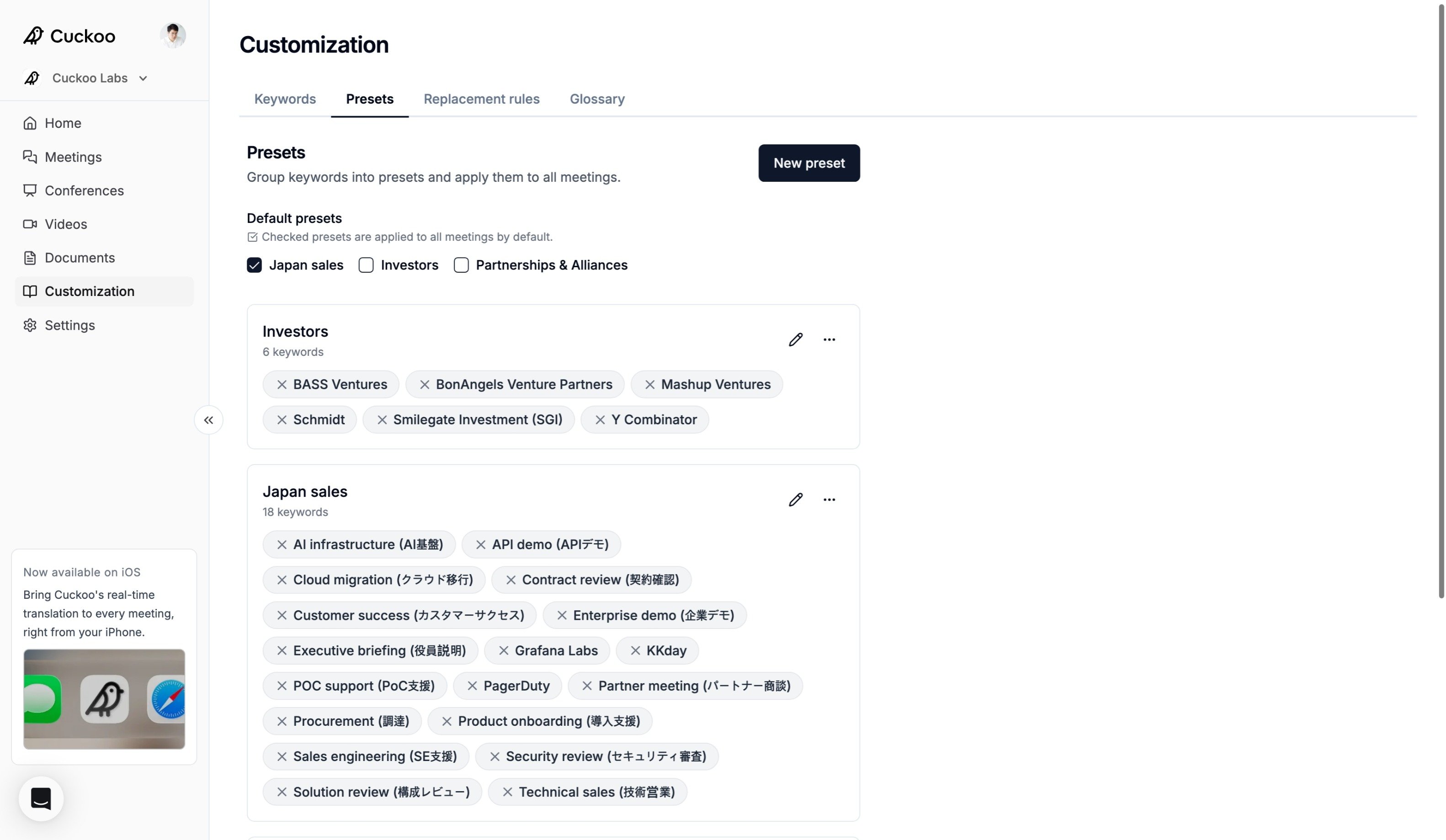 Presets help larger, cross-functional teams organize and apply groups of keywords by topic, team, product, or use case.
Click **New preset** to create a preset, then enter a name and description.
Presets help larger, cross-functional teams organize and apply groups of keywords by topic, team, product, or use case.
Click **New preset** to create a preset, then enter a name and description.
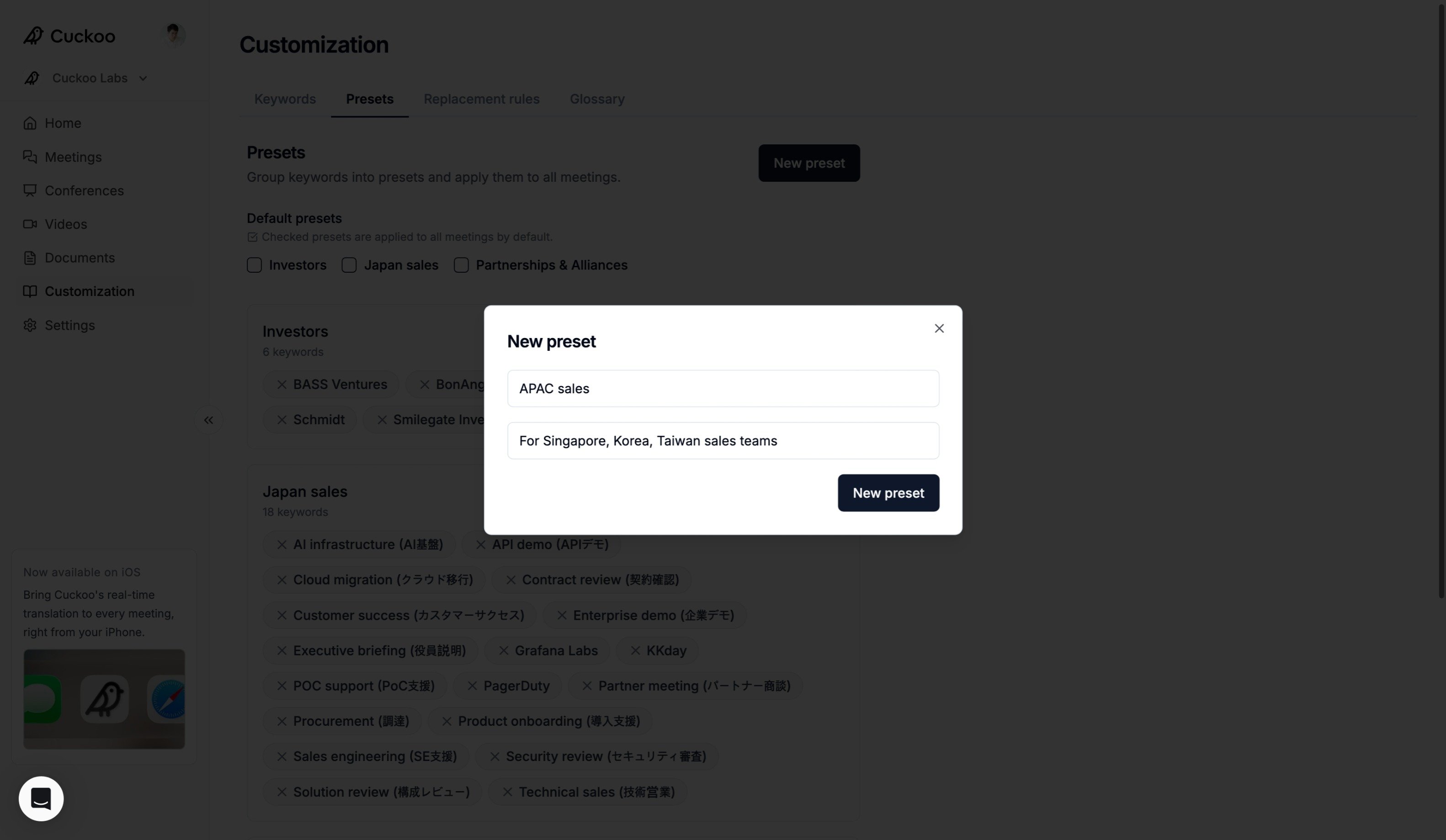 Add one or many keywords separated by semicolons, with optional target translations in parentheses.
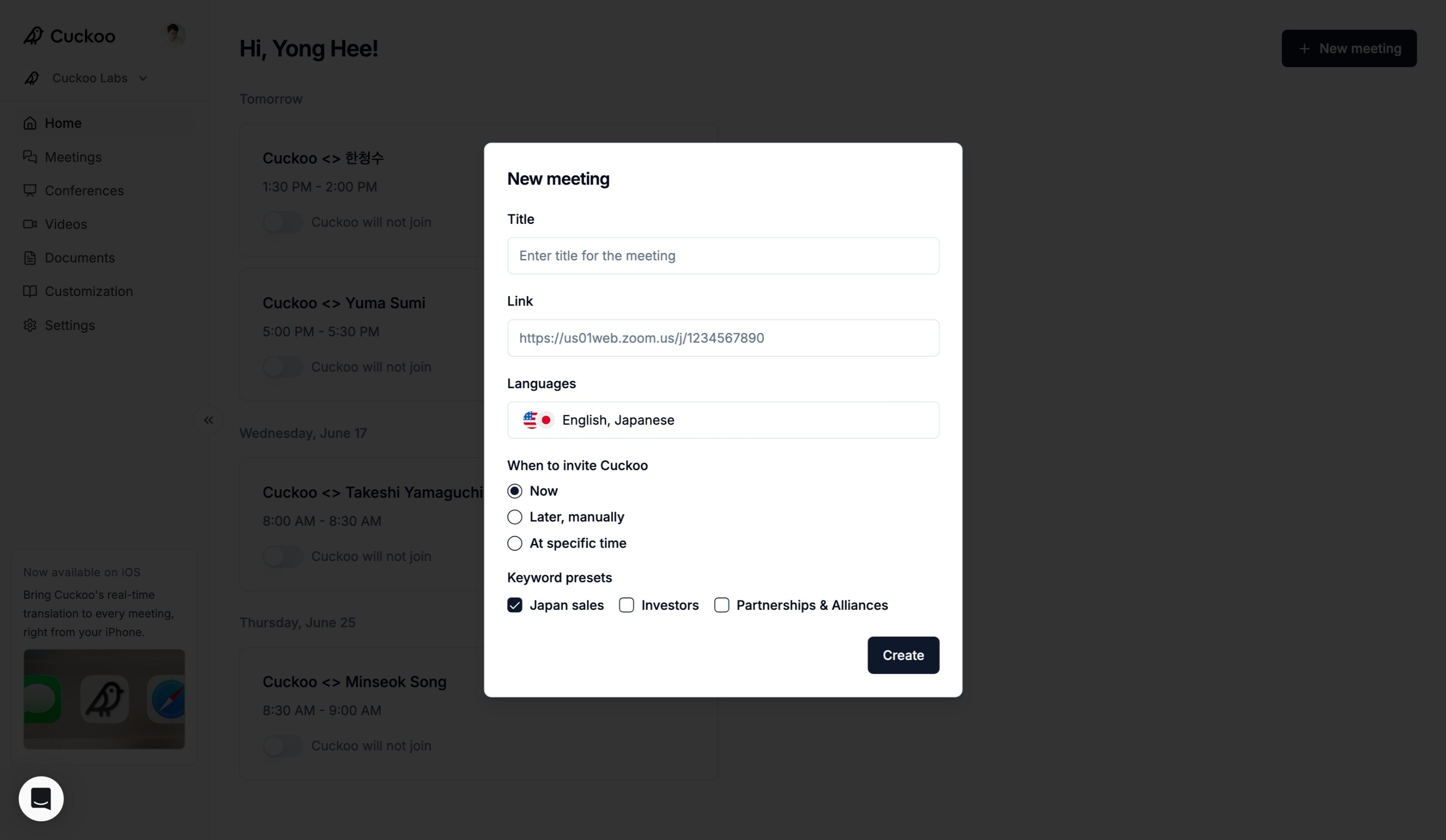
 Under **Default presets**, checked presets that you want to apply to all meetings by default.
 ## Replacement rules
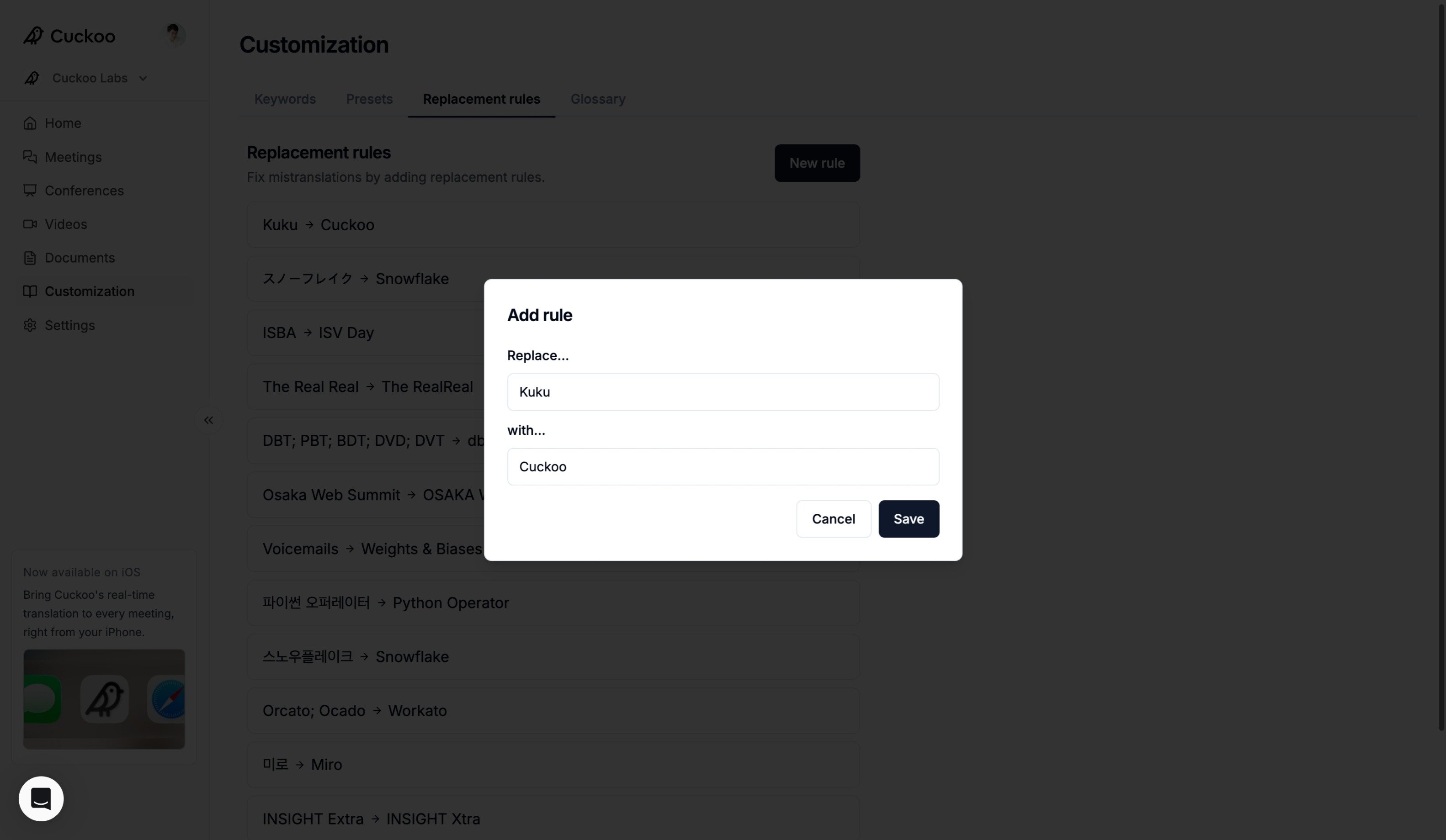
If you notice recurring mistranscriptions or mistranslations, add a **Replacement rule** to enforce a specific term mapping. Replacement rules are deterministic and are applied consistently across both transcripts and translations.
Replacement rules can also be used to define "do not translate" terms. To do this, set the replacement value to the original term. For example, replace "スノーフレイク" with "Snowflake" to ensure the brand name remains unchanged.
## Replacement rules
If you notice recurring mistranscriptions or mistranslations, add a **Replacement rule** to enforce a specific term mapping. Replacement rules are deterministic and are applied consistently across both transcripts and translations.
Replacement rules can also be used to define "do not translate" terms. To do this, set the replacement value to the original term. For example, replace "スノーフレイク" with "Snowflake" to ensure the brand name remains unchanged.