> ## Documentation Index
> Fetch the complete documentation index at: https://docs.cuckoo.so/llms.txt
> Use this file to discover all available pages before exploring further.
# Summaries
> Get post-meeting multilingual summaries
After the meeting ends, Cuckoo provides the summaries of the meeting in all the selected languages.
Click **Summary** at the top of the page to open the Summary panel.
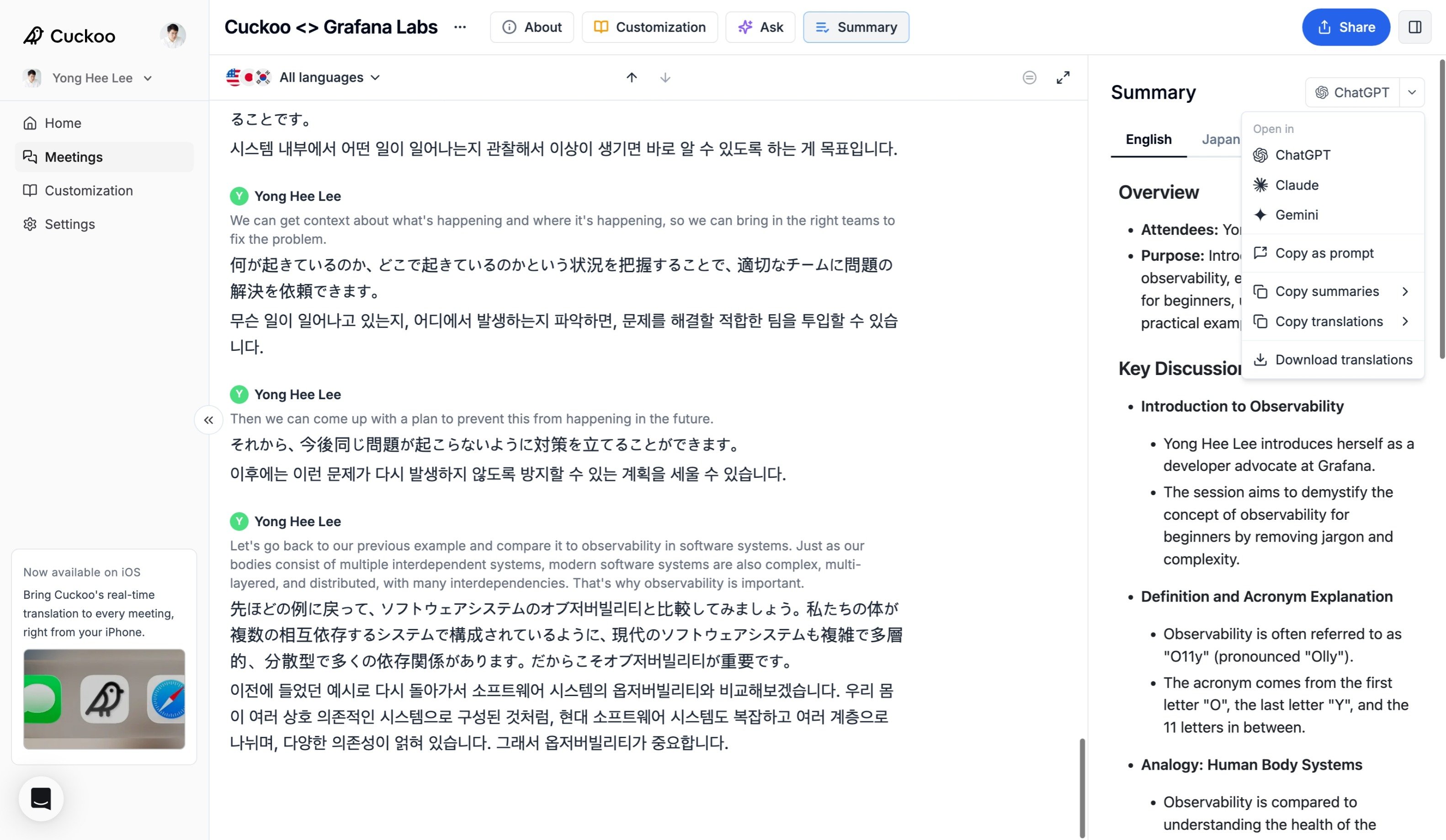 From the Summary panel, you can:
* **Open in** ChatGPT, Claude, or Gemini to continue working with the full transcript, translations, and summaries.
* **Download** transcripts, translations, and summaries in multiple formats.
* **Copy** summaries in any available language.
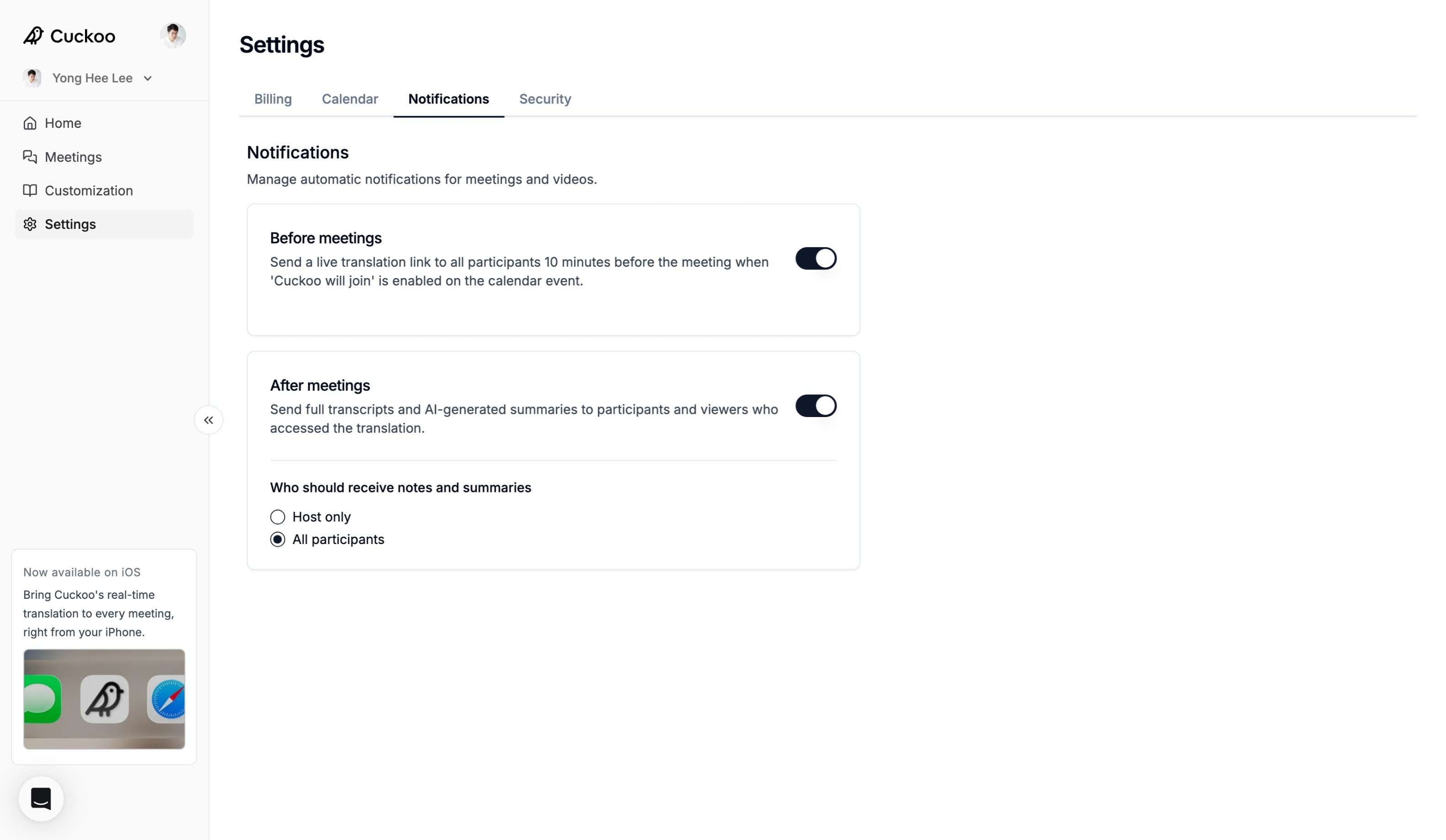
You can also automatically send summaries to meeting participants by enabling email notifications under **Settings -> Notifications**.
From the Summary panel, you can:
* **Open in** ChatGPT, Claude, or Gemini to continue working with the full transcript, translations, and summaries.
* **Download** transcripts, translations, and summaries in multiple formats.
* **Copy** summaries in any available language.
You can also automatically send summaries to meeting participants by enabling email notifications under **Settings -> Notifications**.